
Best WiFi Hotels in El Salvador for Remote Work
Good WiFi matters more than a pretty lobby. If you’re working from a hotel in El Salvador, the real test is whether you can join calls, send files, and keep your laptop alive when the power blips. That’s the stuff that ruins a workday fast.
I learned that the hard way after one too many “nice” stays with a wobbly desk and internet that gave up right when a Zoom call started. One front desk clerk in San Salvador even shrugged and said, “It’s better in the morning.” That’s not exactly music to a freelancer’s ears.
For remote workers, the best hotel usually has three things: steady internet, a real place to sit and work, and backup power for the ugly moments. Location matters too. If you need cafes, walkable streets, or quick rides to meetings, staying too far out can turn a simple day into a taxi budget comedy.
Here’s the practical filter I’d use:
- Test the WiFi early. Check upload speed, not just download, because calls and cloud files care.
- Look for a desk and a chair. A bed is not a workstation, no matter how tempting it looks at 9 a.m.
- Ask about power backup. A generator can save your day when the lights flicker.
- Pick a useful neighborhood. Being near food, coffee, and transport beats a fancy view you never use.
The best setup is usually the boring one, the place where the internet stays up, the chair doesn’t hurt your back, and you can hear your own thoughts between calls.
Key Takeaways for Remote Work
- Reliable WiFi is the first filter. If it drops, your work day gets weird fast.
- Backup power matters, because outages can turn a nice room into a dead zone.
- Confirm the desk and setup before booking.
- San Salvador is the safest first pick for convenience, especially if you want fewer surprises.
- Beach stays need more verification, since the vibe is great but the work setup can be shaky.
- Ask about speed, power, and a real chair, not just a cute photo.
- City stays usually mean easier logistics, while beach spots trade comfort for calm and sand in everything.
What Remote Workers Actually Need From a Hotel in El Salvador
Basic browsing is one thing. Real work is another. A hotel WiFi line can load maps and email just fine, then fall apart the second you join a call with four people staring back at you.
For remote work, the minimum standard is not one big speed number. Stability, upload speed, latency, and peak-hour consistency matter more. According to FCC broadband guidance, real-world internet quality depends on more than headline speed, and that matches what I’ve seen sitting in a lobby that smelled like bleach and coffee while the router blinked like it was having a bad day.
- Stable connection, so calls do not freeze every five minutes.
- Good upload speed, because sending files and video matters.
- Low latency, especially for live calls and screen sharing.
- Consistent evening performance, since hotel networks get crowded.
- A real desk and chair, not a bed with a wobbly tray table.
- Enough outlets and steady power, because dead batteries are rude.
Photos rarely tell the full story. They don’t show desk height, chair comfort, or whether the router is three walls away from your room. I’ve asked front desk staff where the WiFi box sits, and honestly, that question gets you farther than another glossy room shot.
For the chair-and-desk side, OSHA workstation guidance is a solid reality check. If the room makes your shoulders creep up by noon, the hotel is not work-ready, no matter how pretty the pool looks.
Best Areas in El Salvador for Reliable Hotel WiFi and Remote Work
San Salvador is the easiest pick for call-heavy remote work. Hotels there usually have better internet, more backup options, and the kind of stuff that saves a day gone weird, like taxis, cafés, and printing shops that actually answer the phone.
Beach towns like El Tunco and El Zonte are better when your schedule is loose. The ocean is great, the pace is slower, and the vibe is lovely, but I’d verify WiFi carefully before booking, because one bad signal and your Zoom call turns into a sad loading wheel.
Secondary cities like Santa Ana can be a nice middle ground. You get a quieter base, decent convenience, and less chaos than the capital, but usually not the same work intensity support as San Salvador.
| Area | Best for | Convenience | WiFi reliability |
|---|---|---|---|
| San Salvador | Daily calls, deadlines, transport, services | High | Usually strongest |
| El Tunco and El Zonte | Flexible schedules, light work, slow mornings | Lower | Needs careful checking |
| Santa Ana | Quiet base, moderate convenience | Moderate | Usually okay, but varies |
Here’s the blunt rule I kept hearing from hotel staff and taxi drivers, and it held up pretty well: choose San Salvador if you need dependable WiFi, daily calls, deadlines, transport, and services. Choose beach areas only if your schedule is flexible and you can confirm the connection first. If you want a calmer base, look at secondary cities and then check maps, hotel reviews, and official destination pages from El Salvador tourism sources before you book.
Top Hotel Picks With WiFi That Remote Workers Should Think About
Business hotels usually beat scenic properties for work reliability, plain and simple. I’ve had great coffee and terrible signal by the beach, and the room can smell like sunscreen while your Zoom call freezes.
- Best for call-heavy work: Hilton San Salvador, San Salvador. Central location, easy for meetings, and usually a safer bet for steady internet plus quieter rooms. Workspace quality is solid, with proper desks in many rooms. Caution: WiFi can vary by floor, so recent Google Reviews matter.
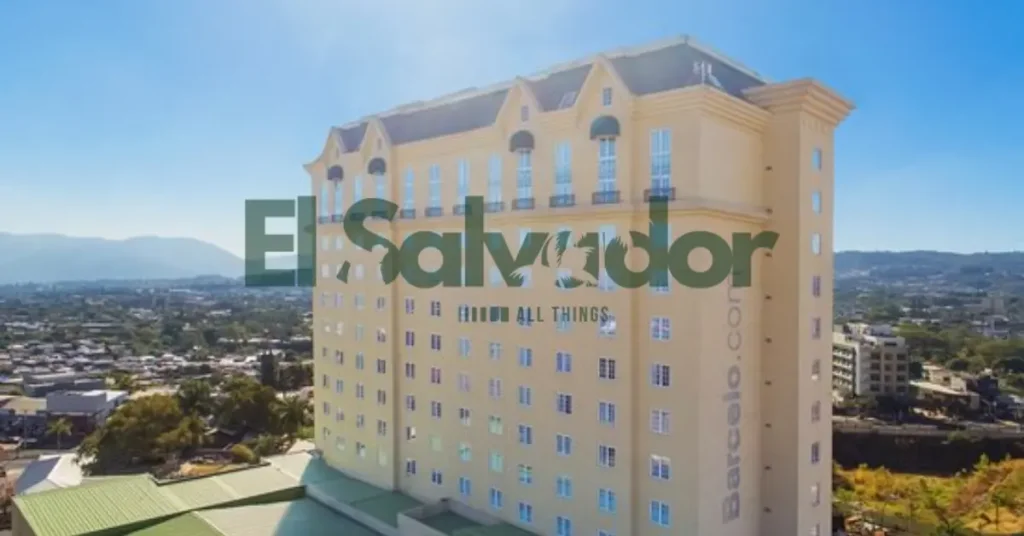
- Best for deep work: Barceló San Salvador, San Salvador. Good if you want a business-first stay with a calmer feel than a flashy resort. WiFi reliability is generally better in standard business rooms, and the desk setup is more practical than pretty. Best for focused solo work, but ask about room placement.
- Best for flexible lifestyle work: Real InterContinental San Salvador, San Salvador. Handy for work-plus-dinner days, with a polished lobby and reliable common areas. WiFi tends to hold up well, though guest feedback can change by room. Workspace quality is strong, especially if you bounce between desk time and lobby calls.
- Best for deep work: Courtyard by Marriott San Salvador, San Salvador. It’s the kind of place where the room usually feels built for work, not just sleep. Internet is often steadier than at boutique or scenic stays, and the desk space is usable without rearranging the furniture like a stressed raccoon. Caution: quieter rooms tend to be farther from elevators and event spaces.
- Best for flexible lifestyle work: Hyatt Centric San Salvador, San Salvador. Good for travelers who want a nicer design and don’t need a full office setup. WiFi is usually fine for everyday remote work, but recent reviews help spot noise or weak-room issues. Workspace quality is decent, though not all rooms feel equally work-friendly.
- Best for call-heavy work: beachfront resort properties near El Salvador’s coast. Pretty views, yes, but work reliability can swing hard by season and by room. WiFi is often strongest in lobbies and weakest in far-off rooms or windy weather. Workspace quality is mixed, so this is better for lighter work than back-to-back meetings.
- Best for deep work: smaller business-focused boutique hotels in San Salvador. These can be a smart pick if the property has recent guest praise for internet and quiet nights. Workspace quality depends a lot on the room, so I’d check Google Maps and Booking.com comments before booking. Caution: boutique charm sometimes comes with thinner walls and less predictable WiFi.
My blunt rule, after a few too many bad video calls, is this: read the newest reviews first. If guests keep mentioning slow WiFi, dead zones, or noisy halls, believe them. The lobby might smell like fresh coffee, but your upload speed will tell the truth.
Best for Business-Style Reliability
For actual productivity, business hotels usually beat scenic properties. I learned that after one too many “pretty view, terrible Wi-Fi” stays, with the AC humming and my laptop waving the white flag.
- Pick central San Salvador or business-district hotels. They usually have steadier internet, quieter rooms, and front-desk staff who know how to help fast.
- Look for rooms on higher floors or away from traffic. That usually cuts down street noise, hallway noise, and the random late-night horn parade.
- Check recent Google Reviews for Wi-Fi and room quiet. That’s where the real story shows up, not in the glossy photos.
- Long-stay perks matter. Laundry, work desks, and easy taxi pickup make life a lot less annoying after day three.
Here’s the thing, reliable internet and a calm room matter more than a pretty pool. If you’re working between meetings, a solid business hotel in a central location will usually save your sanity.
Best for Boutique Comfort and Focus
Smaller boutique hotels can be a sweet spot for solo work. The lobby is usually calmer, the staff tends to know your name, and the whole place smells less like conference coffee and more like real soap and old wood.
A velvet chair looks cute in photos, but your laptop will not care if the signal drops every ten minutes.
- Check recent guest reviews first. Look for comments about WiFi speed, desk size, and outlet placement on review platforms.
- Ask about the quiet rooms. If the layout allows it, a room at the back, on a higher floor, or away from elevators usually helps with focus.
- Watch the workspace photos. Some boutique spots have a tiny table that barely fits a notebook, let alone a charger and coffee.
So yes, boutique comfort can be great for deep work. Just do the boring check before you book, because the prettiest room in the house can still have the worst chair.
Best for Beach-Stay Living With Remote Work Potential
Beach hotels can work well if your job is flexible and your laptop is mostly your sidekick. I saw this a lot around El Tunco and El Zonte, where people were surfing early, then answering emails with sandy feet and cold coffee. I saw this a lot around El Tunco and El Zonte, where the rise of Bitcoin in El Salvador helped attract remote workers surfing early and answering emails with sandy feet and cold coffee.
Truth is, this setup is better for remote work potential than mission-critical daily calls. The big tradeoffs are the loud surf, random weather, and WiFi that can get moody fast. For many travelers trying the digital nomad lifestyle in El Salvador, beach hotels work best when schedules are flexible and workdays are lighter.
- Check backup power first. A backup generator matters more than a fancy pool view when the lights blink out.
- Test stable WiFi. Ask hotel staff where the router sits, because a room far from it can be painfully slow.
- Choose quiet rooms. Rooms facing the beach can be beautiful and noisy, especially at night.
- Read recent guest reviews. They usually tell the honest story about power cuts, signal drops, and sleep quality.
Ask about both the generator and the router before booking. The sea breeze smells great, but a shaky connection during a call is not cute.
For coastal access and local conditions, I’d check official destination or map tools, plus hotel websites and recent guest reviews. That little homework can save you from a very expensive nap with bad internet.
How to Check WiFi Quality Before You Book
Download speed is only half the story. For Zoom, Meet, or Teams, upload speed, latency, and consistency matter more, because a fast line that jitters like a bus on cobblestones can still wreck your call.
Here’s the blunt version, I booked a “great WiFi” room that died every time someone flushed upstairs.
- Read reviews for repeats, not one-offs. Look for the same complaints over and over, like call drops, outages, dead zones, or “WiFi only worked in the lobby.” Recent complaints matter most.
- Check the property page carefully. Booking.com or Expedia amenities can mean property-wide WiFi, not room-specific coverage. That shiny amenity badge does not always mean your desk near the window gets a signal.
- Ask direct questions before paying. Use the hotel’s official contact page and ask about room coverage, upload speed, backup power, and peak-hour slowdown.
- Test the basics on arrival. Run a quick speed test, then check video call quality for a few minutes. If the image freezes or audio lags, that’s your real answer.
Ask these exact questions: “Do all guest rooms have strong WiFi, or only common areas?” “What upload speed and latency do you usually get in rooms?” “Do you have backup power for the router during outages?” “Does WiFi slow down at night?”
Copy and paste this message: Hi, I’m booking for work and need stable WiFi for video calls. Can you confirm room coverage, typical upload speed, latency, and whether there are dead zones or peak-hour slowdowns? Also, does the WiFi stay up during power cuts?
Questions to Ask the Hotel Before You Reserve
- What are the typical download and upload speeds? I’m talking real numbers, not “fast WiFi” vibes.
- Does WiFi reach every room? Or does it die the second you shut the door?
- Is the internet private or shared? Shared networks can get slow when the lobby fills up.
- Does the generator power the internet equipment during outages? No power, no work, no mercy.
- Does the room have a desk and a chair that won’t wreck my back?
- Are there enough outlets near the desk and bed? I always seem to travel with too many chargers.
- Can the front desk confirm this directly? A quick call can save a painful check-in surprise.
Red Flags That Usually Mean Bad Remote-Work WiFi
- “Internet available” with no speed details. That phrase can mean anything, from decent WiFi to a sad little signal that wheezes at 2 p.m. If the listing won’t name speeds, ask.
- No mention of a real workspace. Silence about a desk, chair, outlets, or backup power is a warning sign. I tried to work off a wobbly café table in a room that smelled like toast and lotion.
- Repeated review complaints about WiFi. One cranky review can happen. But if guest after guest says the connection dropped, crawled, or vanished at night, believe the pattern.
- Rooms far from routers or in noisy common areas. End-of-hall rooms, lobby-facing rooms, and spots near elevators often get weak signal or extra noise. You can hear the whole building, and your call sounds like it too.
- No talk about power backups. If reviews and FAQs never mention generators, battery backup, or stable power, that silence matters. In places with flaky electricity, your laptop battery becomes the hero.
Recent guest feedback patterns matter more than one-off complaints. Check review sites and the hotel FAQ, then look for repeated stories, not random grumbles from one bad night. That’s usually where the truth is hiding.
Important Tradeoffs: WiFi, Safety, Noise, and Power Reliability
Cheap WiFi looks nice on a booking page, right up until a Zoom call turns into a frozen face. The better tradeoff is usually location, not just price, because neighborhood convenience, transport, and nighttime comfort all matter together.
Open the map before I fell for the pool photo. A place near a busy road can be easier for taxis and dinner, but surf noise, bar noise, and late-night scooter traffic can hit hard.
Quick reality check: safety and comfort change block by block, so use hotel location pages, map tools, and official travel advisories for the exact neighborhood you’re booking. Weather can also change the feel of a stay, so compare it with El Salvador Weather by Season before you commit.
| What looks good | What can bite you |
|---|---|
| Central area | Easier food and transport, but more noise |
| Quiet street | Better sleep, but slower rides and less lighting |
| Backup generator | Useless if it skips guest rooms or the router |
Mini-checklist for power reliability: backup power has to cover guest rooms and network equipment to matter. If the generator only runs lobby lights, your laptop is still toast.
- Ask if the room outlets stay live during outages.
- Confirm the WiFi router and modem are on backup power.
- Check whether the hotel has water, AC, and elevator backup too.
- Read nearby outage notes in Power/Outage Preparedness for Travelers.
For internet failure, I’d keep a dumb little fallback plan ready: a hotspot, a secondary SIM, or a backup call location like a café or lobby with signal. One hotel clerk in the region told me, very casually, “WiFi is fine until it rains,” which felt rude but weirdly honest.
Recommended Booking Checklist for Remote Workers
Power first. WiFi second. Everything else can wait while your laptop is gasping like mine did in a Cairo hotel lobby, with a sleepy desk clerk and one sad outlet behind a chair.
| Check | What to confirm | Best choice if… |
|---|---|---|
| Backup power | Generator, battery backup, or reliable power in the room | You have calls, deadlines, or can’t risk a black screen |
| WiFi | Strong signal in the room, not just the lobby | You need video calls, cloud work, or big uploads |
| Room setup | Desk, chair, good light, and enough plug space | You work more than two hours a day from the room |
| Location | Quiet area near food, transit, or your meeting spots | You want less noise and less time in taxis |
| Amenities | Laundry, breakfast, gym, or coworking access | You’re staying longer and need comfort extras |
Fast choice frame: if your workday is heavy, pick a quiet area with backup power and strong room WiFi. If you only need light laptop time, a decent desk and good location usually win.
- Read recent reviews. Look for comments about noise, WiFi, and power cuts.
- Message the hotel directly. Ask for WiFi speed, desk photos, and backup power.
- Match the area to your workload. Busy workdays need calmer neighborhoods.
- Check room setup before paying.
- Save a backup. Keep a café or coworking spot nearby, just in case.
It also helps to keep nearby coworking spaces in El Salvador bookmarked as backup options in case hotel WiFi becomes unreliable.
Choosing the Right WiFi Hotel in El Salvador Matters More Than the View
A pretty ocean view is nice, but a dead Zoom call is not. I’d pick a steady hotel WiFi signal, a working outlet, and a real desk over a fancy balcony any day.
One traveler was pacing with a phone to his ear, trying to catch a client in a crackly call. That was my wake-up call.
Before booking, check the basics: WiFi speed, backup power, and where you’ll work in the room. If the connection drops, the lights flicker, or the only “desk” is a wobbly side table, your day gets messy fast.
Choose for work first, then enjoy the rest. You’ll get fewer call disruptions, less stress, and a trip that actually feels good once the laptop closes.
Frequently Asked Questions
Which hotel in El Salvador has the most reliable WiFi for remote work?
The most reliable option is usually a business hotel in San Salvador, especially one with direct fiber service and strong guest reviews about internet. I’d check the hotel’s own site, then confirm with a quick message or call before booking.
Are beach hotels or city hotels better for working online?
City hotels usually win for stable internet, easier power access, and less random noise. Beach hotels can be better for mood, but the WiFi can wobble when everyone is posting sunset shots at once.
How can I verify hotel internet speed before booking?
Ask the hotel for a recent speed test screenshot and the WiFi name for your room type. Booking pages and recent guest reviews also help, but direct contact is usually the fastest truth check.
Do hotels in El Salvador have backup power during outages?
Some do, some don’t, so ask about backup power before you pay. In many cases, business hotels are more likely to have generators or UPS support than smaller beach stays.
What amenities matter most beyond WiFi?
A proper desk, a quiet room, good lighting, backup power, and a chair that won’t wreck your back matter most. A kettle, laundry, and easy food nearby also save your sanity when the coffee runs out.
What should I ask a hotel before booking for a work trip?
Ask about internet speed, backup power, desk setup, noise, and whether the room has a strong signal. Ask about the window air conditioner too, because that thing can sound like a tired motorcycle.
Which area in El Salvador is best for remote workers?
San Salvador is usually the best all-around base for remote workers. It’s easier to find reliable WiFi, coworking spots, and hotels that understand long work stays.
Is free WiFi in hotels usually good enough for video calls?
Sometimes yes, but not always, and free WiFi can get choppy at busy hours. If your calls matter, ask for a recent speed test and test it the second you arrive.
Should I stay in a hotel or a coworking-friendly Airbnb?
A hotel is safer for predictable service, while an Airbnb can feel better if you need a kitchen and more space. For tight deadlines, I’d pick the place with the clearest internet proof, not the prettiest photos.
Are beach hotels in El Salvador good for remote workers?
They can be, but only if you verify the WiFi and power backup first. For lighter work and shorter stays, beach hotels are fine, though the sea breeze won’t save a weak connection.
Is San Salvador safer and more practical than coastal areas for work stays?
For most work trips, yes, because you get better transport, more services, and less guesswork. Safety changes by neighborhood, so pair hotel choice with current safety info and don’t wing it on a map pin alone.
What should I pack for a hotel work stay in El Salvador?
Bring a power bank, earbuds, a travel adapter if needed, and a small backup hotspot if work is urgent. Pack light layers too, because hotel AC can feel like sleeping inside a fridge.